
GetResponse helps you manage your email marketing activities in a simple and efficient manner. Its drag-and-drop tools help you create email marketing campaigns quickly and efficiently.
Now let us see in this Getresponse tutorial for beginners, how to create a getresponse account.This is the first step in your email marketing journey.
How to Create a GetResponse Account
Creating a GetResponse account is relatively straightforward. You can start with a Free account without entering credit-card details.
Step 1: Visit the GetResponse Website
Go to the official GetResponse website and select the option to create a free account.
You can also use GetResponse’s official signup page to begin the registration process. The signup form asks for basic information such as your name, email address, and password.
Step 2: Sign Up for an Account
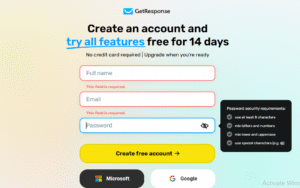
Enter your basic information in the registration form.
You will generally need to provide:
- Your name
- Email address
- Password
You can also use available account options such as Google or Microsoft sign-in.
Choose an email address that you regularly access because you will need to verify your account.
Step 3: Verify Your Email
After creating your account, check your inbox for the verification email from GetResponse.
Open the email and follow the verification instructions.
If you don’t see the message immediately, check your spam or promotions folder.
Step 4: Complete the Initial Setup
Once your account is verified, log in and complete the initial setup.
GetResponse may ask questions about your business, goals, audience, or marketing activities. These questions help configure your account and provide a more relevant starting experience.
Don’t worry if you don’t know all the answers. As a beginner, you can start with the information you currently have and adjust your setup later.
After that, take some time some to explore the dashboard and learn about the available features.
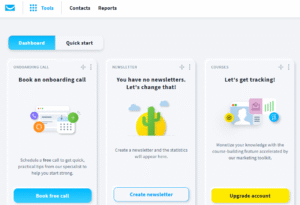
Now your first step is to create a landing page because you have to drive traffic to your landing page in order to generate leads for your email marketing campaign
1.Go to Tools>Landing pages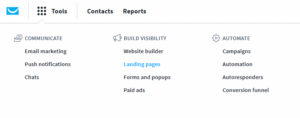
2.Go to Landing pages>Create Landing pages

3.Select Use a Ready made template
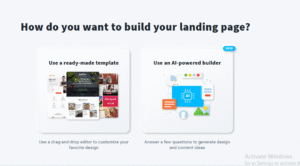
4.Use one of the Predesigned templates

5.After selecting the template the editor looks like this
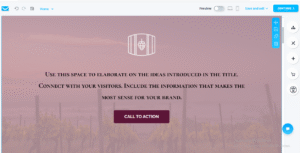
6.If you click on elements you will see a sidebar to the right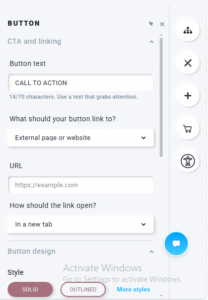
7.After completing necessary changes click on continue button on top right corner

8.After editing the settings click on continue button.
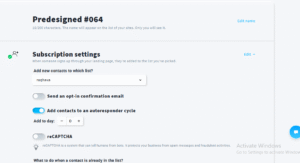
This is how we create a landing page in getresponse











Your writing style is so engaging and easy to read It makes it a pleasure to read your blog and…
I was more than happy to search out this net-site.I needed to thanks for your time for this excellent learn!!…
Usually I do not read article on blogs, but I would like to say that this write-up very compelled me…
Hello, i believe that i noticed you visited my website thus i came to “return the choose”.I'm attempting to find…
Thanks for sharing. I read many of your blog posts, cool, your blog is very good.