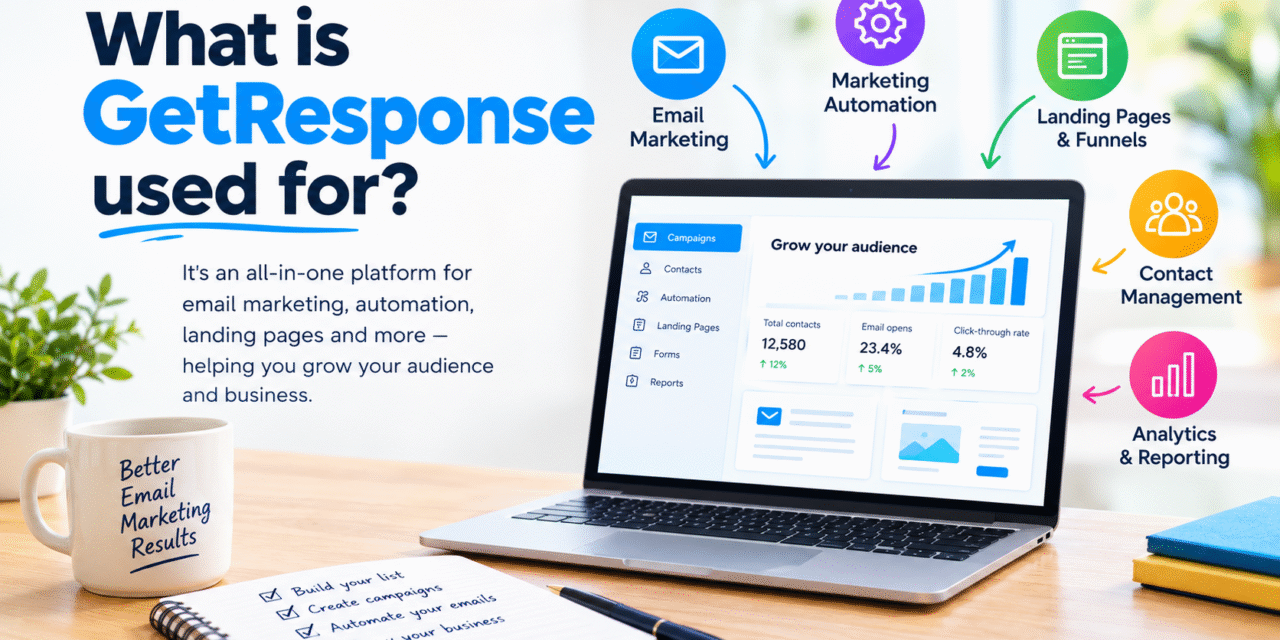
GetResponse is an all-in-one platform used to manage email campaigns, build landing pages, automate marketing tasks, and generate leads. It is designed to help businesses, bloggers, creators, and marketers manage their email marketing campaigns, improve profitability, and simplify their tasks through automation.
But what is GetResponse used for exactly? In this guide, we’ll explore its main uses, important features, and how beginners can use it to grow an audience and improve their marketing efforts.
There are several ways businesses and creators can use GetResponse. Let’s look at the most important ones.
What is Getresponse Used For?
- Email Marketing
One of the most important uses of GetResponse is creating email campaigns and sending them at the right time.
You can create newsletters, promotional emails, announcements, and other types of messages for your subscribers. Its email editor provides a visual interface that makes it easier to design emails without requiring advanced coding skills.
Examples of the types of email campaigns you can send include:
An e-commerce website sending promotional emails about its products

A blogger sending weekly newsletters to subscribers
Instead of depending entirely on search or social media you can use email communication to connect with your audience.
- Building an Email List
Building an email list is an important part of long-term digital marketing.
Getresponse provides tools to collect subscribers through signup forms or landing pages. You can place a signup form on your website and encourage visitors to join your mailing list.
You can also offer something valuable known as, lead magnet such as an ebook, checklist, template, or free guide, in exchange for an email address.
- Marketing Automation
Another important use is marketing automation.
Instead of manually sending every email, you can create workflows that automatically respond to subscriber actions.
For example, you could create a simple sequence like:
Subscriber joins your list → Welcome email → Educational email → Product recommendation → Follow-up email
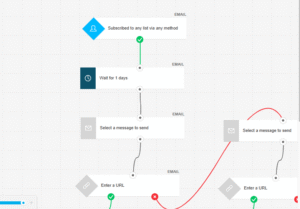
Automation can help you communicate with subscribers at the appropriate stage of their customer journey.
- Creating Landing Pages
Landing pages are helpful for collecting visitors’ email addresses when they sign up for an email list or download a lead magnet, such as an eBook.
You can design landing pages in GetResponse without any coding knowledge. You can use its drag-and-drop builder to create and customize your pages.
A marketer can create a landing page, include a form on the page, and connect it to an email list. This allows you to collect leads through your landing page.
5.Creating websites
GetResponse also includes website-building functionality.
This feature is useful for beginners who want to create basic websites without having to manage multiple platforms.
This feature allows you to build websites alongside your core marketing activities.
- Selling Products and Services
GetResponse can also support businesses that want to promote and sell products or services online.
You can use email campaigns and landing pages to attract potential customers, educate them about your offer, and encourage them to take action.
For example, a course creator could collect leads through a landing page and send an automated sequence introducing the course before directing subscribers toward the sales page.
- Webinars and Online Events
Webinars can be useful for educating an audience, demonstrating expertise, and promoting products or services.
GetResponse has included webinar functionality as part of its broader marketing platform. Businesses and creators can use webinars to connect with their audience and support lead-generation or sales campaigns.
A consultant, for example, could promote a free educational webinar through email and use the event to introduce potential customers to their services.
Who Can Use GetResponse?
GetResponse can be useful for several types of users.
Bloggers
Bloggers can use it to build an email list, send newsletters, promote new articles, and create automated email sequences.
Small Businesses
Small businesses can use the platform to generate leads, communicate with customers, promote offers, and automate repetitive marketing tasks.
Content Creators
Creators can use email campaigns to build a direct relationship with their audience and promote digital products, courses, or services.
Ecommerce Businesses
Online stores can use email marketing to promote products, communicate with customers, and encourage repeat purchases.
Digital Marketers
Marketing professionals can use automation, landing pages, email campaigns, and analytics to manage different parts of a marketing strategy.
Benefits of Using GetResponse
One of the biggest advantages is having several marketing tools available in one platform. This can reduce the need to constantly move information between different services.
Another benefit is its visual approach. Beginners can create emails, forms, landing pages, and automation workflows using relatively straightforward interfaces.
Automation is also valuable because it allows marketers to create campaigns that continue working after the initial setup.
However, the right platform depends on your goals, budget, technical requirements, and the size of your audience.
How Beginners Can Get Started
If you are new to GetResponse, avoid trying to learn every feature at once.
Start with a simple process:
- Create your account.
- Set up your email list.
- Create a signup form.
- Offer a useful lead magnet.
- Create a welcome email.
- Send regular newsletters.
- Build a simple automation workflow.
- Monitor your campaign results.
- Improve your emails based on performance.
Once you understand the basics, you can gradually explore landing pages, webinars, website tools, and other features.
Final Thoughts
So, Getresponse is mainly used to manage email marketing and broader digital marketing activities, including list building, automation, landing pages, website creation, webinars, and promotional campaigns.









Your writing style is so engaging and easy to read It makes it a pleasure to read your blog and…
I was more than happy to search out this net-site.I needed to thanks for your time for this excellent learn!!…
Usually I do not read article on blogs, but I would like to say that this write-up very compelled me…
Hello, i believe that i noticed you visited my website thus i came to “return the choose”.I'm attempting to find…
Thanks for sharing. I read many of your blog posts, cool, your blog is very good.