Email marketing automation allows businesses to send the right email to the right person at the right time based on specific actions, interests, or conditions. Instead of manually sending individual emails, you can create automated campaigns that work in the background.
For example, when someone signs up for your newsletter, an automated system can immediately send a welcome email. If that person downloads a guide, you can send follow-up emails related to that guide. If a customer abandons a shopping cart, an automated reminder can encourage them to complete the purchase.
In this guide, you will learn what email marketing automation is, how it works, its benefits, common types of automated emails, and how to create an effective automation strategy.
What Is Email Marketing Automation?
Email marketing automation is the process of using software to automatically send emails to subscribers based on predefined triggers, actions, or conditions.
Instead of creating and sending every email manually, you set up a workflow in advance. The email marketing platform then delivers messages automatically when subscribers meet certain criteria.
For example:
Visitor signs up → Welcome email → Educational email → Product recommendation → Special offer
The subscriber moves through the sequence automatically.
Automation can be as simple as sending a welcome email immediately after signup or as advanced as creating different email journeys based on subscriber behavior.
The main purpose is to make email communication more timely, relevant, and personalized while reducing the amount of manual work required.
How Does Email Marketing Automation Work?
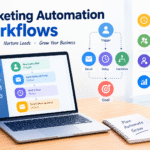
Email automation usually works through three main elements: triggers, workflows, and actions.
1. Triggers
A trigger is an event that starts an automated email sequence.
Common triggers include:
- Someone subscribes to your email list
- A customer makes a purchase
- Someone downloads a lead magnet
- A subscriber clicks a link
- A customer abandons a shopping cart
- A subscriber’s birthday arrives
- Someone becomes inactive
- A subscriber reaches a particular stage in a customer journey
For example, if someone joins your newsletter, the signup can trigger a welcome email.
2. Workflows
A workflow determines what happens after the trigger.
A simple workflow could look like this:
New subscriber → Wait 1 day → Send educational email → Wait 2 days → Send product email
You can also create branches based on subscriber behavior.
For example:
Email sent → Subscriber opens → Send Email A
Email sent → Subscriber doesn’t open → Send Email B
This allows you to create different experiences for different subscribers.
3. Actions
An action is something the automation system does.
Actions can include:
- Sending an email
- Waiting for a specific period
- Adding a tag
- Moving a subscriber to another list
- Updating subscriber information
- Starting another workflow
- Removing someone from a campaign
Together, triggers, workflows, and actions create an automated customer journey.
Why Is Email Marketing Automation Important?
Without automation, managing hundreds or thousands of subscribers manually can take a significant amount of time.
Automation helps businesses communicate consistently without requiring someone to send every message individually.
Imagine that 500 people subscribe to your newsletter in one week. Sending a personal welcome email to every subscriber manually would be time-consuming.
With automation, you create the welcome sequence once. Every new subscriber can then receive the sequence automatically.
This saves time while helping your audience receive information when it is most relevant.
Benefits of Email Marketing Automation
There are several advantages to using automated email campaigns.
1. Saves Time
One of the biggest benefits is the amount of time you can save.
Instead of repeatedly creating and sending the same emails, you create the campaign once and allow the software to handle delivery.
This gives you more time to focus on content creation, customer service, product development, and other marketing activities.
2. Improves Personalization
Automation allows you to send different emails based on subscriber behavior and interests.
For example, someone interested in SEO might receive SEO-related content, while another subscriber interested in email marketing might receive content about email campaigns.
This makes your communication more relevant.
3. Builds Better Customer Relationships
Automated emails can help you stay connected with customers throughout their journey.
You can send helpful content after someone subscribes, provide useful information after a purchase, and check in with customers who have become inactive.
Consistent communication can help build trust over time.
4. Helps Increase Sales
Automation can support customers at different stages of the buying process.
For example, you might create a sequence that introduces a problem, provides educational content, explains your solution, and eventually presents an offer.
You can also use abandoned-cart emails, product recommendations, and post-purchase campaigns to encourage additional purchases.
5. Provides Timely Communication
Timing matters in marketing.
If someone downloads an ebook today, sending a related email several weeks later may not be as effective as sending it within the next day or two.
Automation allows you to respond quickly to subscriber actions.
6. Supports Lead Nurturing
Not every subscriber is ready to buy immediately.
An automated email sequence can educate potential customers and gradually move them toward a purchasing decision.
This process is known as lead nurturing.
For example:
Subscribe → Educational content → Case study → Product information → Offer
The goal is to build interest and trust before asking for a sale.
Common Types of Automated Emails
Businesses use automation for many different purposes. Here are some of the most common types.
Welcome Emails
A welcome email is usually sent after someone subscribes to your email list.
It can introduce your business, explain what subscribers can expect, and provide a promised resource.
A welcome sequence might include:
- Welcome and introduction
- Helpful educational content
- Best resources or articles
- Product or service information
- Special offer
Lead Nurturing Emails
Lead nurturing sequences are designed to educate subscribers and build relationships.
For example, if someone downloads a guide about email marketing, you could send several follow-up emails explaining email strategy, personalization, subject lines, and automation.
Eventually, you can introduce a relevant product or service.
Abandoned Cart Emails
E-commerce businesses can use automation to remind customers about products they added to their cart but did not purchase.
A simple sequence could include:
After 1 hour: Reminder
After 24 hours: Product benefits
After 48 hours: Optional incentive
These emails can help recover potentially lost sales.
Post-Purchase Emails
Communication should not stop after someone makes a purchase.
You can automatically send:
- Order confirmation
- Product instructions
- Thank-you emails
- Review requests
- Related product recommendations
- Reorder reminders
These emails can improve the customer experience and encourage repeat purchases.
Re-Engagement Emails
Some subscribers may stop opening your emails.
A re-engagement campaign can attempt to bring inactive subscribers back.
For example:
“Still interested in receiving our tips?”
You can provide useful content or ask subscribers whether they still want to remain on your list.
Event-Based Emails
Automation can also be used for events such as:
- Birthdays
- Anniversaries
- Membership renewals
- Subscription renewals
- Webinars
- Appointments
- Product launches
These messages can be triggered automatically based on dates or customer information.
Example of an Email Automation Workflow
Suppose you run a blog about digital marketing and offer a free email marketing guide.
Your automation could look like this:
Step 1: Visitor enters their email address.
Step 2: They receive the free guide immediately.
Step 3: After one day, they receive an email explaining the basics of email marketing.
Step 4: After two days, they receive an article about writing effective subject lines.
Step 5: After three days, they receive an email about email personalization.
Step 6: After two days, they receive information about an email marketing platform.
Step 7: Subscribers who click specific links can receive more targeted content.
This creates a simple automated funnel that educates subscribers and introduces relevant products or services.
Email Marketing Automation vs. Regular Email Marketing
Regular email marketing often involves manually creating and sending individual campaigns.
For example, you might write a newsletter and send it to your entire list on Monday.
Automation works differently.
You create a series of emails and establish rules for when each email should be sent.
Here is a simple comparison:
| Regular Email Marketing | Email Automation |
|---|---|
| Often manually scheduled | Triggered automatically |
| Usually campaign-based | Usually behavior-based |
| Same timing for subscribers | Timing can vary |
| Requires repeated setup | Workflows can run continuously |
| Good for newsletters | Good for customer journeys |
Both approaches are valuable. A strong email strategy often uses newsletters alongside automated campaigns.
How to Create an Email Marketing Automation Strategy
Creating automation does not mean simply sending more emails. You need a clear strategy.
Step 1: Define Your Goal
First, decide what you want the automation to accomplish.
Your goal might be:
- Generate leads
- Welcome new subscribers
- Increase sales
- Educate customers
- Promote a product
- Recover abandoned carts
- Increase repeat purchases
- Re-engage inactive subscribers
A clear goal helps determine the type of workflow you need.
Step 2: Understand Your Audience
Think about who will receive your emails.
Consider their:
- Needs
- Problems
- Interests
- Buying stage
- Previous interactions with your business
The better you understand your audience, the more relevant your automated emails can become.
Step 3: Choose the Right Trigger
Select an event that starts the workflow.
For example, if your goal is lead nurturing, a form submission or lead-magnet download could be an appropriate trigger.
Step 4: Create Useful Content
Every email should provide value.
Avoid creating automation that sends promotional messages repeatedly.
Instead, combine educational content, helpful resources, stories, product information, and relevant offers.
Step 5: Set Timing
Decide how much time should pass between emails.
You might send the first email immediately, the second after one day, and the third after three days.
The ideal timing depends on your audience, industry, and campaign goal.
Step 6: Add Personalization
Use information you have permission to use, such as a subscriber’s name, interests, previous purchases, or content preferences.
However, personalization should feel natural. Using someone’s name alone does not make an email truly personalized.
Relevant content is more important.
Step 7: Test Your Workflow
Before activating an automation, test every step.
Check:
- Links
- Images
- Personalization fields
- Timing
- Subject lines
- Mobile display
- Calls to action
- Trigger conditions
A small mistake in an automated workflow can affect many subscribers, so testing is important.
Step 8: Measure Performance
After launching your automation, monitor its performance.
Important metrics include:
- Open rate
- Click-through rate
- Conversion rate
- Unsubscribe rate
- Bounce rate
- Revenue generated
- Engagement over time
Use these results to improve your campaigns.
Best Practices for Email Marketing Automation
Follow these practices to create better automated campaigns.
Keep Your Emails Relevant
Send content that matches the subscriber’s interests and the action that triggered the campaign.
Don’t Over-Automate
Automation should make communication more efficient, not make it feel robotic.
Some emails should still be written and sent manually, especially newsletters, announcements, and time-sensitive campaigns.
Segment Your Audience
Avoid treating your entire email list as one group.
Create segments based on interests, behavior, purchases, engagement, or other meaningful criteria.
Use Clear Calls to Action
Every email should have a clear purpose.
Tell subscribers what you want them to do, such as:
Read the article
Download the guide
Watch the tutorial
Start a free trial
Complete your purchase
Review Your Automations Regularly
Your business, products, links, and offers can change.
Review your automated sequences regularly to make sure the information remains accurate and useful.
Common Mistakes to Avoid
Even well-designed automation can fail if it is poorly planned.
Some common mistakes include:
- Sending too many emails
- Making every email promotional
- Using irrelevant personalization
- Creating complicated workflows unnecessarily
- Ignoring inactive subscribers
- Not testing emails
- Failing to monitor results
- Forgetting to update old content
- Not providing an easy unsubscribe option
The goal is not to automate everything. The goal is to automate the right things.
Final Thoughts
Email marketing automation helps businesses communicate with subscribers at the right moment without requiring constant manual effort. From welcome emails and lead nurturing to abandoned-cart reminders and post-purchase campaigns, automation can support almost every stage of the customer journey.
The best automated campaigns are not simply a collection of scheduled emails. They are carefully planned customer experiences based on subscriber needs, interests, and actions.
Start with one simple workflow, such as a welcome sequence. Measure its performance, learn what works, and gradually build more advanced automations.
When used correctly, automation can save time, improve personalization, strengthen customer relationships, nurture leads, and contribute to business growth.
.




Your writing style is so engaging and easy to read It makes it a pleasure to read your blog and…
I was more than happy to search out this net-site.I needed to thanks for your time for this excellent learn!!…
Usually I do not read article on blogs, but I would like to say that this write-up very compelled me…
Hello, i believe that i noticed you visited my website thus i came to “return the choose”.I'm attempting to find…
Thanks for sharing. I read many of your blog posts, cool, your blog is very good.